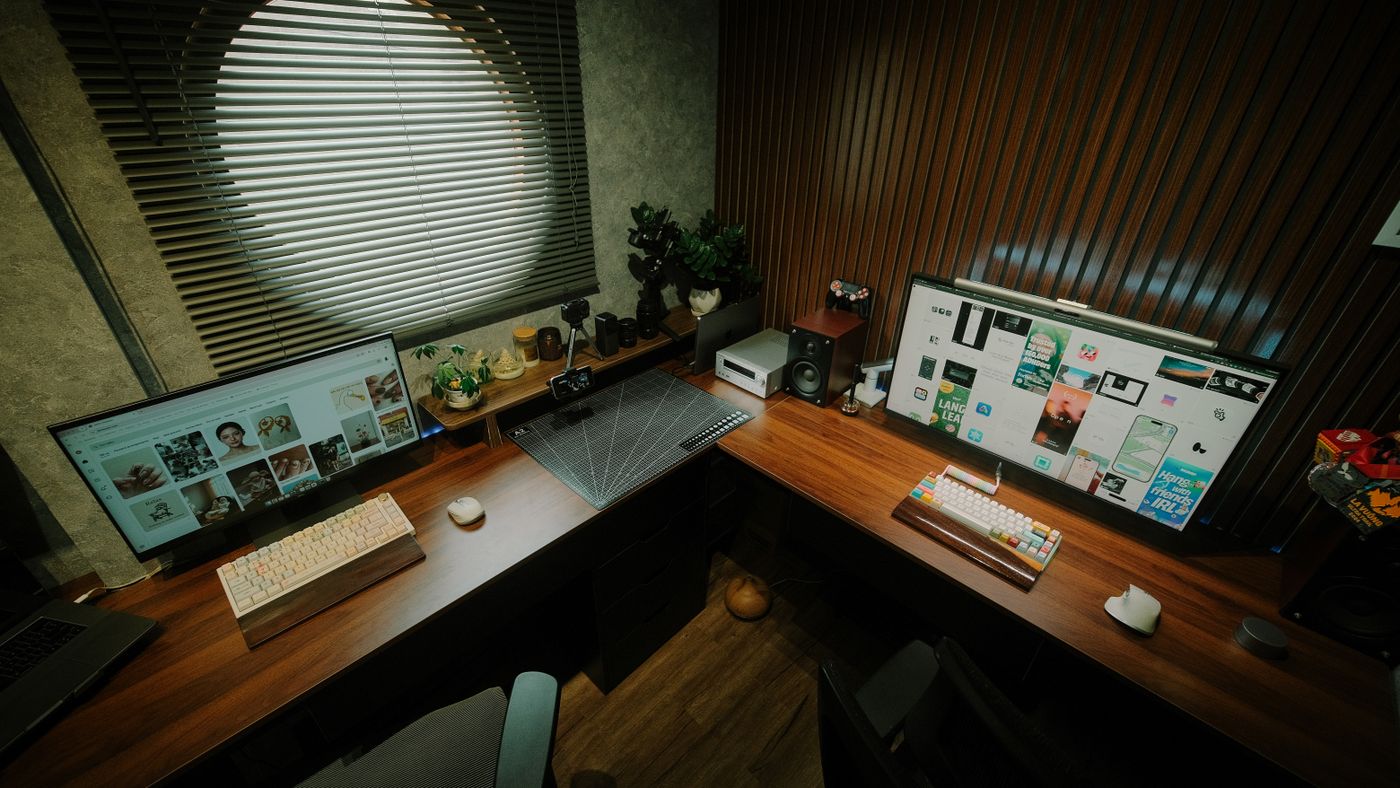
The 30-second answer: For two monitors in a small space you need enough width (≈47–55” lets two 24” screens sit side by side; tighter spaces do better with a monitor arm or a stacked layout) and enough depth (≈24”+ so screens sit an arm’s length away). A corner/L-shape or a monitor arm buys back space when the floor plan is tight.
The squeeze in a small apartment is real: you want two monitors, but compact desks are usually too shallow to sit them at a healthy viewing distance, or too narrow to line them up side by side. Push the screens to the front edge and you’re cross-eyed by lunch; go wider and the desk won’t fit the room.
This guide solves that specific tension: how to fit two monitors on a desk that still fits a small space. Below are the dimensions that make it work, a comparison table, and our picks — based on our analysis of specs and owner-feedback patterns.
Why two monitors + small space is hard
Three constraints collide, and every pick below is judged against them:
- Depth for viewing distance. Two screens need to sit ~20–28” from your eyes. A shallow desk forces them too close. Depth matters more than people expect.
- Width for side-by-side. Two 24” monitors need roughly 47”+ of clear width on the desk. Below that, you’re stacking, angling, or using an arm.
- Room footprint. The desk still has to fit the apartment. The fix is usually layout — corner desks, depth-savvy widths, or freeing the surface with an arm.
How we picked
We weighted the small-space dual-monitor problem specifically: usable width for two screens, depth for healthy viewing distance, footprint and shape (including corner/L options that exploit dead space), and whether the surface supports a monitor arm clamp to reclaim depth. We leaned on owner-feedback patterns for real-world fit in apartments. Marketing claims were ignored unless documented specs and owner reports backed them up.
Quick comparison
| Pick | Best for | |
|---|---|---|
| FlexiSpot E7 (48-inch top) · Top Overall | Best Small-Space Desk for Two Monitors | Check → |
| Tribesigns L-Shaped Corner Desk · Best Corner / L-Shape | Best Corner Pick for Two Monitors | Check → |
| SHW 40-inch Electric Standing Desk · Compact Riser | Best for a small-footprint sit-stand desk that still fits two monitors | Check → |
| Mr IRONSTONE 47-inch Desk · Budget Pick | Best budget fixed desk for a small dual-monitor setup | Check → |
Our picks
FlexiSpot E7 (48-inch top) — Best Small-Space Desk for Two Monitors
This tops the list because it hits the width-and-depth sweet spot — wide enough to set two monitors side by side, deep enough to push them back to a healthy viewing distance — without a footprint that overwhelms an apartment.
- Fits two 24" monitors side by side
- Enough depth for proper viewing distance
- Footprint that still works in a small room
- Two 27"+ screens get tight — consider an arm
- Not a tiny desk; measure your wall
Tribesigns L-Shaped Corner Desk — Best Corner Pick for Two Monitors
When the floor plan is awkward, a corner/L-shape turns dead space into a dual-monitor station — one screen per wing, or both across the long edge — without claiming a big rectangle of the room.
- Exploits unused corner space
- Room for two screens plus work area
- Feels bigger than its footprint
- Needs a usable corner
- Harder to reposition later
SHW 40-inch Electric Standing Desk — Best for a small-footprint sit-stand desk that still fits two monitors
The SHW 40-inch keeps a tight 40x24-inch footprint while offering an electric dual-stage lift (~28–45 inches) with three presets and a cable tray. Its compact width suits apartments, and the surface fits two smaller monitors side by side. Capacity is around 110 lbs — fine for a typical dual-screen setup, not heavy equipment.
- Small 40" footprint for tight rooms
- Electric lift with memory presets
- Built-in cable management
- 40" width is snug for two larger monitors
- Modest weight capacity
Mr IRONSTONE 47-inch Desk — Best budget fixed desk for a small dual-monitor setup
The Mr IRONSTONE 47.2x23.6-inch desk is a simple fixed-height desk with a steel frame owners note can support a dual-monitor stand, plus a cup holder and headphone hook. Its modest size makes it a common apartment and dorm choice. As a non-adjustable desk it won’t convert to standing — pair it with a riser if sit-stand matters.
- Affordable and compact for small rooms
- Steel frame supports a dual-monitor arm/stand
- Simple quick build
- Fixed height (no sit-stand)
- MDF surface is less premium than solid-top desks
What to look for (small-space dual-monitor checklist)
- Depth ≈24”+. So two screens sit an arm’s length away, not in your face.
- Width ≈47–55” for two 24” screens. Less than that, plan to stack, angle, or use an arm.
- Consider a monitor arm. Clamping screens to an arm frees the whole desktop and buys back depth — the best small-space trick.
- Look at corner/L-shapes. They use dead space and often fit two monitors more comfortably than a small rectangle.
- Check it takes a clamp. A sturdy back edge of the right thickness lets you add an arm later.
Frequently asked questions
What size desk do I need for two monitors? Roughly 47” of width for two 24” screens side by side, and about 24” of depth so they sit at a healthy viewing distance. Bigger screens or an arm change the math.
How do I fit two monitors on a small desk? Three moves: push them back with more depth, line them up if you have ~47”+ width, or free the surface entirely with a monitor arm. The arm is usually the best small-space solution.
Is a corner desk better for a small apartment? Often, yes — it turns an unused corner into a workstation and can fit two monitors without claiming a large rectangle of floor. It’s less flexible to move later, though.
Can I get a standing desk that fits two monitors in a small room? Yes — a compact electric standing desk can fit two screens; see best electric standing desk by use case. For keeping your current desk, a converter for a small desk is another route.
How far should two monitors be from my eyes? Roughly an arm’s length — about 20–28 inches — with the tops near eye level. That’s why desk depth matters so much in small spaces.
The verdict
Two monitors in a small apartment is a solvable problem once you treat it as depth + width + layout, not just “buy a small desk.” Get ~24” of depth and ~47”+ of width, or reclaim the surface with a monitor arm or a corner shape. Match it to your room and you get a real dual-screen setup that still leaves space to live.
We analyze specs and owner-feedback patterns, and re-review this guide as new models are released. We never claim to have physically tested gear we haven’t. Prices and availability are shown live on Amazon via the links above.